How to Connect XP-CPRO (Legacy Controller) to Door Accessories and MK800 Reader Interface Module
- Tan Rong Wei (Unlicensed)
| Problem (Issue) Statement: | How to connect XP-CPRO (legacy controller) to Door Accessories and MK800 Reader Interface Module |
| Description: | XP-CPRO is a legacy multi-door controller from MicroEngine. This article will guide users on how to connect XP-CPRO (legacy controller) to door accessories and MK800 Reader Interface Module. |
| Related Software: | NIL |
| Related Hardware: |
|
| System Application: | NIL |
| Symptom and Finding: | NIL |
| Cause: | For first time guide on how to connect XP-CPRO (legacy controller) to door accessories and MK800 Reader Interface Module. |
Summary:. Knowledge Base Link XP-CPRO legacy controller needs to be used in together with MK800 Reader Interface Module to control door access. . . Step-by-step Guide:
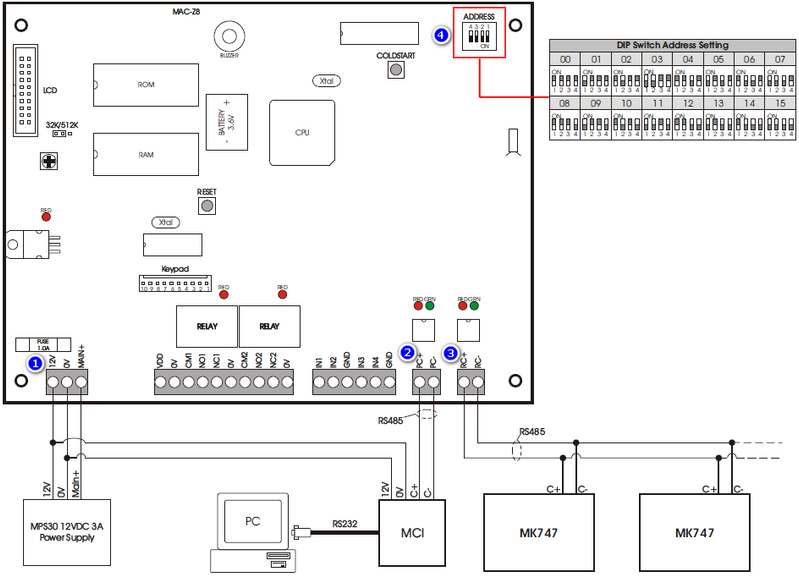
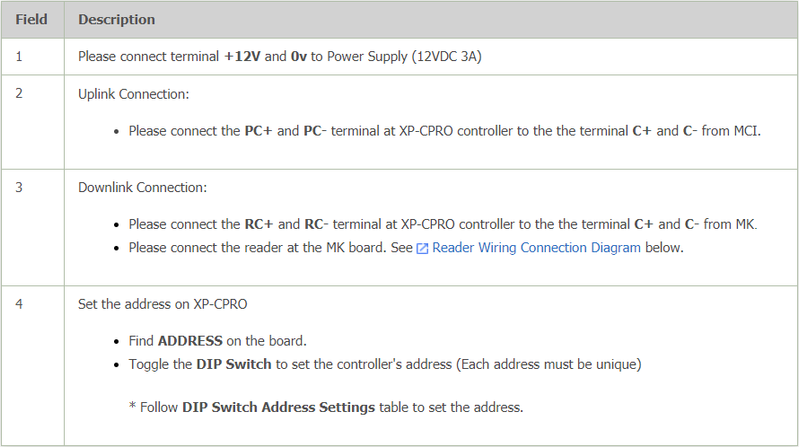
Step 1: Please refer to the following wiring diagram for the XP-CPRO controller. .
. .
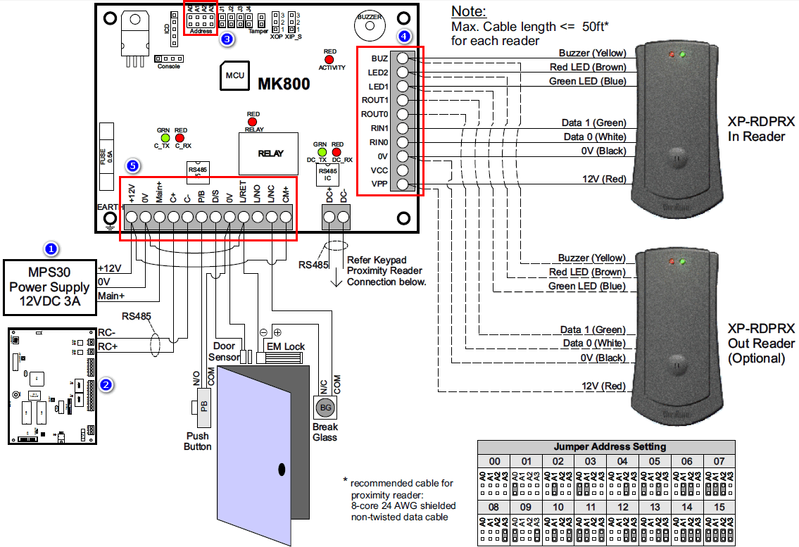
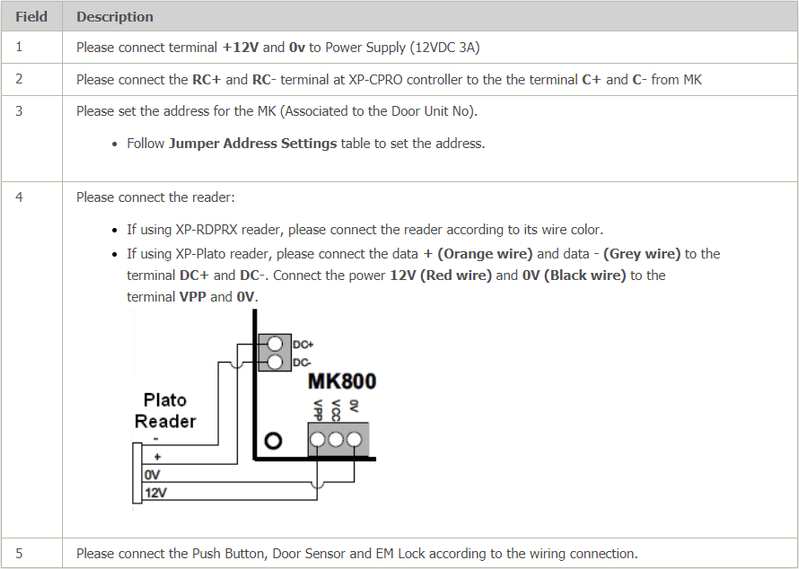
Step 1: Please refer to the following wiring diagram for the MK800 Reader Interface Module. . Note 1 unit of MK800 Reader Interface Module can only be used for 1 door. Please connect multiple MK800 for multiple door application. . .
| |
| Common Issues: | NIL |
| Porting Date: | 16/4/2019 |
PROOF-READ
.
Related Articles.
Containing the label "xp-cpro"
Filter by label
There are no items with the selected labels at this time.
.
.
© MicroEngine Technology Sdn Bhd (535550-U). All rights reserved.