How to Configure XP-M1000x as Reader Mode when Connected to XP-MK800 Relay Board and XP-CPRO Controller
| Problem (Issue) Statement: | How to configure XP-M1000x as reader mode when connected to XP-MK800 relay board and XP-CPRO controller |
| Description: | This article will guide users on how to configure XP-M1000x as reader mode when connected to XP-MK800 relay board and XP-CPRO controller. |
| Related Software: | NIL |
| Related Hardware: |
|
| System Application: | NIL |
| Symptom and Finding: | NIL |
| Cause: | For first time guide on how to configure XP-M1000x as reader mode when connected to XP-MK800 relay board and XP-CPRO controller. |
Summary:. Step-by-step Guide:
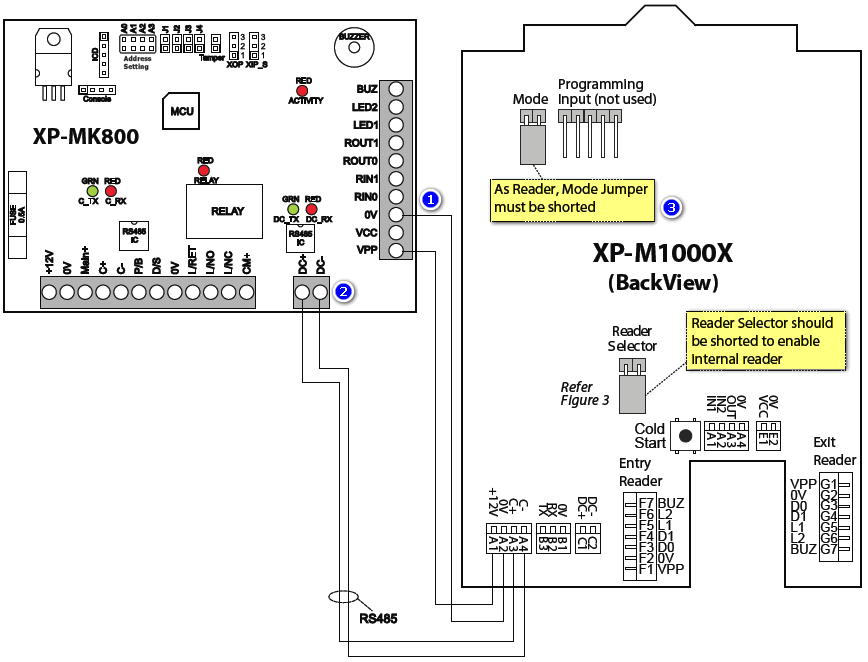
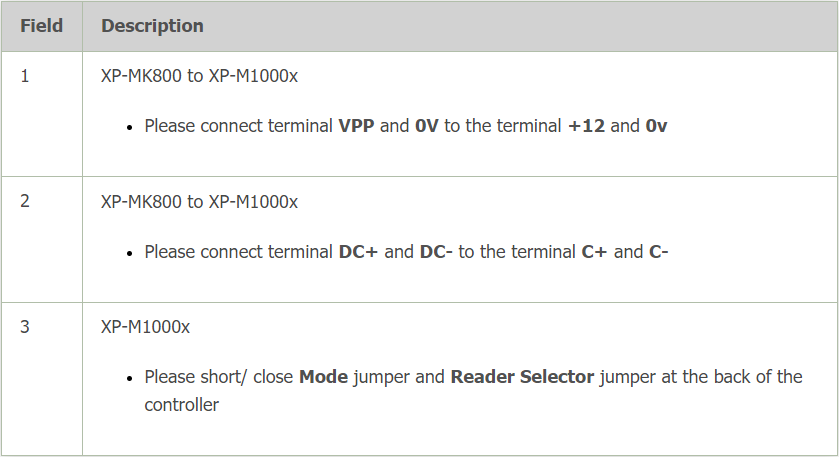
Step 1: Please refer to the following wiring diagram for the connections between the XP-M1000x to the XP-MK800. .
. .
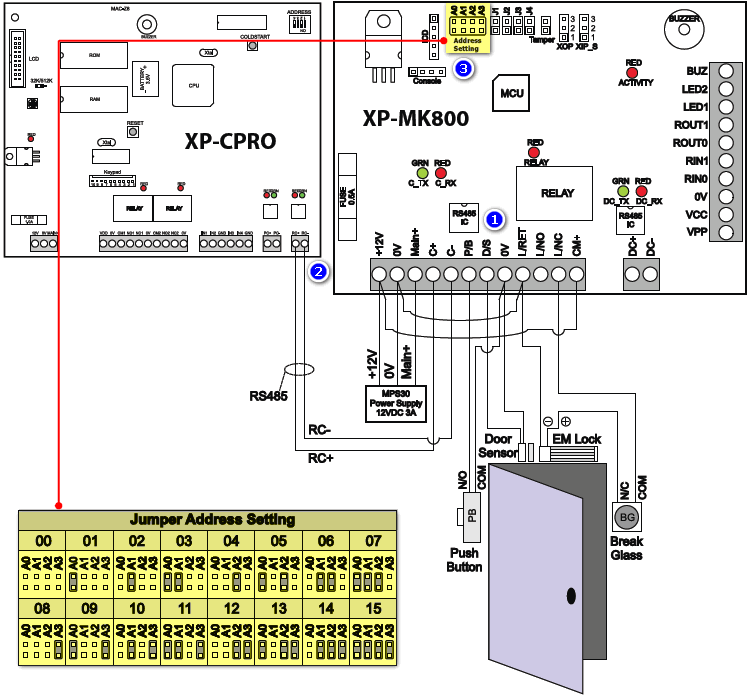
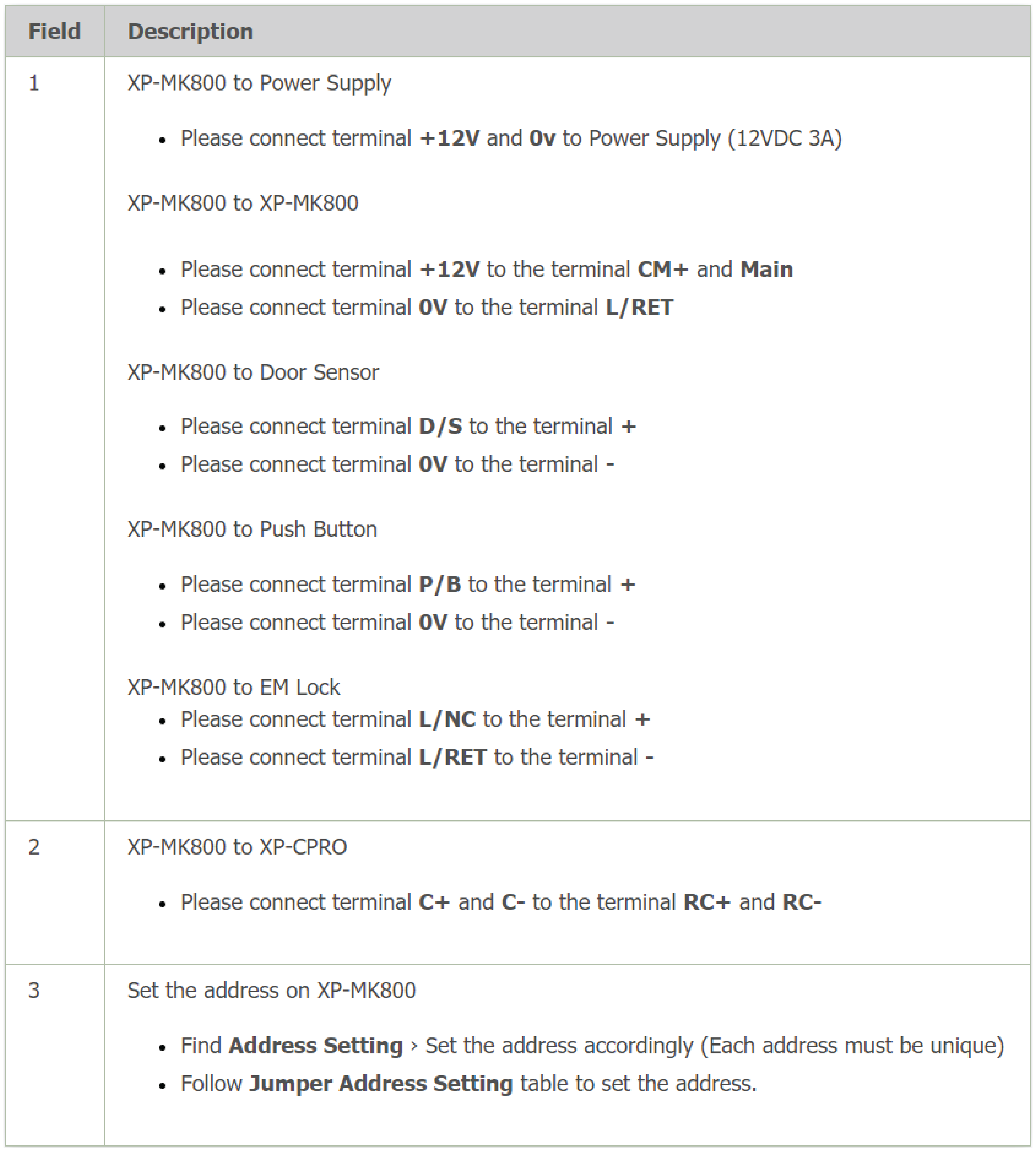
Step 1: Please refer to the following wiring diagram for the connections between the XP-M1000x to the XP-CPRO controller. .
| |
| Common Issues: | NIL |
| Porting Date: | 19/6/2019 |
PROOF-READ
.
.
.
© MicroEngine Technology Sdn Bhd (535550-U). All rights reserved.